Let AI help with your admin.


Ask and update
Log hours, prepare a draft, or just ask what’s still outstanding.

On your own numbers
Your assistant reads your admin live. No export, no copy from last week.

For every account
No Pro needed and no developer: you create a key yourself.

What you can do with it
The connection opens your admin to your AI assistant, so you no longer have to sit down for it yourself.
- "Log 2 hours for Bright Agency, I’ve just come from there."
- "Draft an invoice with all my unbilled hours from this month."
- "How much is still outstanding, and with whom?"
- "Update the email address for Studio Blauw."
You stay at the wheel.
For each key you switch on what the connection may do: hours, invoices, clients. Read is always on. Sending sits apart from the rest, and is deliberately the only one in its own warning colour.
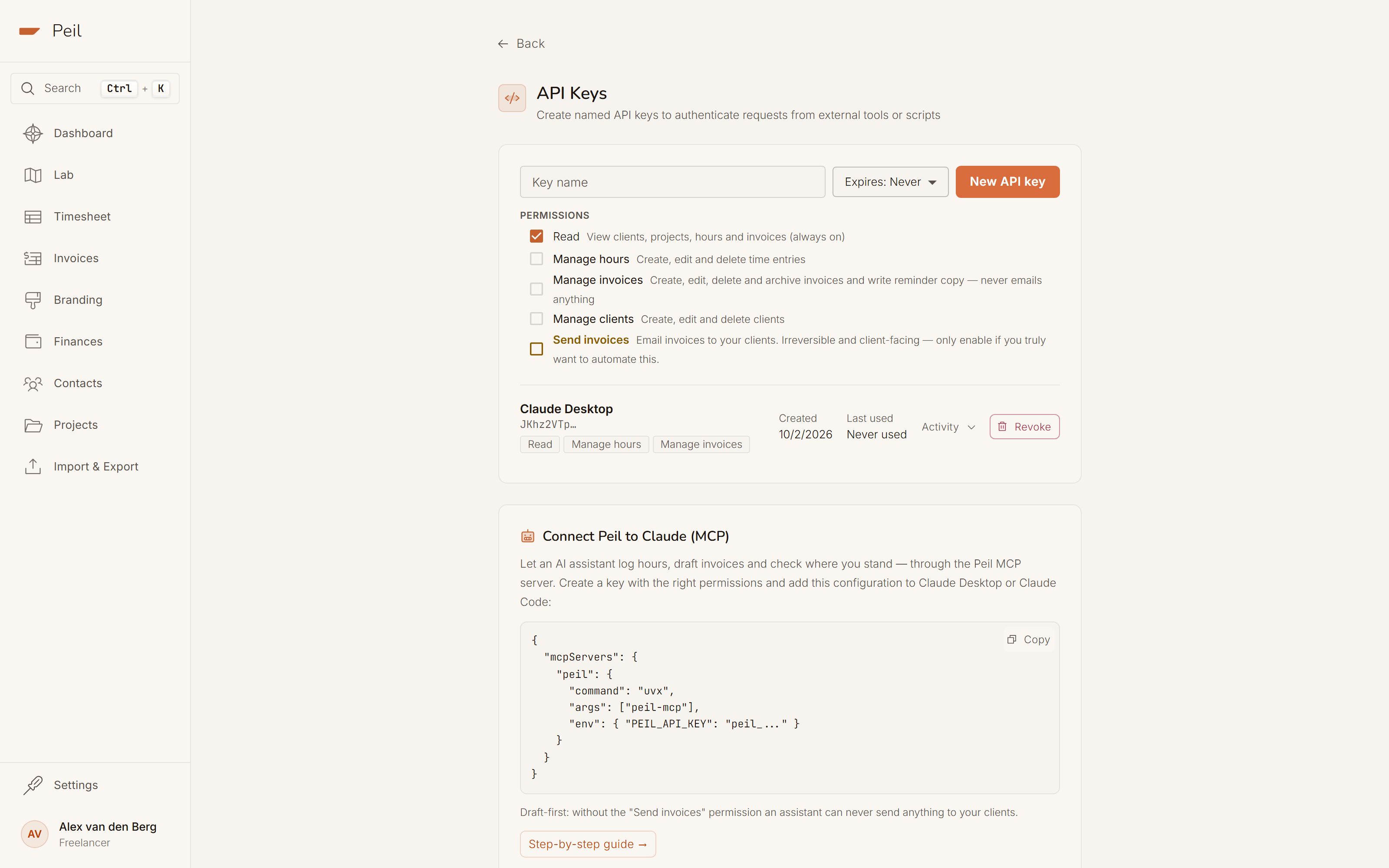
Several keys
One for your assistant, one for that one script. Each revoked on its own.
With an expiry date
Never, 30 or 90 days. A key for a while is really for a while.
Everything stays yours
Each key sees only your admin, never anyone else’s.
I can’t do that: this key doesn’t have the "Send invoices" permission. The draft is ready in Peil; you press the button.
What your assistant answers without that permission
What has your assistant done?
Every change made through a key goes on a list you can open per key. Reads don’t: they would fill the list with noise and bury the changes.
Only changes are recorded. Reads don’t appear here.
Rolling back stays manual
Peil records what happened; what to do about it is up to you.
Revoking works instantly
A revoked key stops working at that very moment.
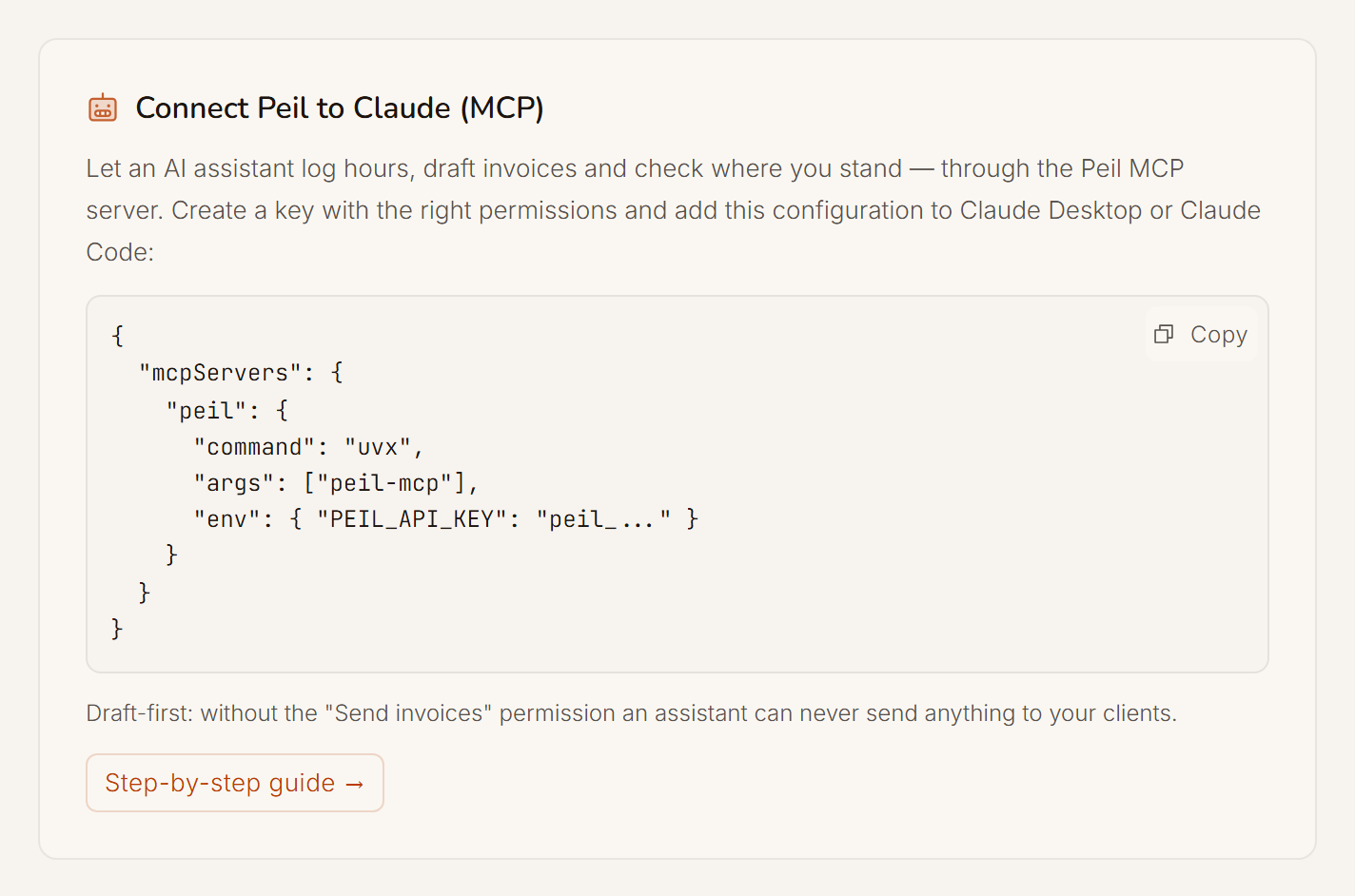
Three lines in your configuration.
Peil runs as an MCP server through uvx, so there’s nothing to install. Paste the block into Claude Desktop or Claude Code, fill in your key and your assistant knows your admin.
Claude Desktop and Claude Code
Any assistant that can start a local MCP server works.
Or plain HTTP
Prefer a script, Zapier or your own tool? The same key works on the REST API.
Let your assistant make the connection itself.
Nobody enjoys editing three lines of JSON, and your assistant does it better than you. Give it this instruction and it reads the manual, writes the configuration and asks you only for the key.
I want to connect Peil to this app over MCP. Read the current instructions at https://peil.app/en/docs/mcp and set up the connection for me. Ask me for my Peil API key and keep it out of logs and shell history.

Free, for everyone
API keys and the MCP connection are in the free plan. You don’t need to upgrade or be a developer to start.

What stays Pro
Exactly what is Pro in the app: emailing invoices, automatic reminders, recurring invoices and retainers. A key is an extra front door, not a different house, and the house rules stay too: hours on a sent invoice are locked, a paid invoice can’t be deleted.
Everything you do in Peil, your assistant can do too. You decide what it may.
API keys and the MCP server are in the free plan. What is Pro in the app stays Pro through a key.
About integrations and AI
Question not listed? The full manual is in the docs.
Which assistants work with this?
Any assistant that can start a local MCP server, including Claude Desktop and Claude Code. You paste three lines into your configuration and fill in your key. Prefer a script, Zapier or your own tool? Then you use the same key on the REST API.
Can an AI assistant email an invoice to my client by accident?
Not if you leave the "Send invoices" permission off. Without it, an assistant can prepare an invoice for you just fine, but it’s always saved as a draft and every attempt to email it is refused.
What do the API and the MCP connection cost?
Nothing; both are in the free plan. You only pay for Peil Pro if you want Pro features, such as emailing invoices, automatic reminders or retainers.
Can I see what was done with a key?
Yes. For each key Peil records which change was made when: which hours, which invoice. Reads aren’t recorded, or the list would get too full to be useful. Don’t trust it? Revoke the key and it stops immediately.
Less time on your admin, more time on your work.
Create a key with exactly the permissions you want to give, and let your assistant take over the record-keeping.
Create your first key