From logged hours to paid invoice.
What you log in your timesheet becomes your invoice: select the hours, pick a client and you see the PDF your client will open. After that, Peil keeps an eye on it until the money is in your account.


Your hours become invoice lines
Select the hours in your timesheet, or pick a client in the editor and all their unbilled hours are ready. Group them by activity, by day or by project and Peil turns them into invoice lines, at the rate that applied at the time.

What you see is what your client gets
On the right is the PDF as it will go out: in your house style, with VAT, payment terms and payment reference already filled in.

Always a draft first
You save an invoice as a draft first. It only goes out when you press the button; Peil then emails the PDF straight to your client.

Your client has everything they need to pay.
Peil emails your invoice as a PDF, in your house style and with the payment reference. The email links to your client portal, where your client finds all your invoices together, without an account or password. If you’ve connected Mollie, they can pay there directly with iDEAL.
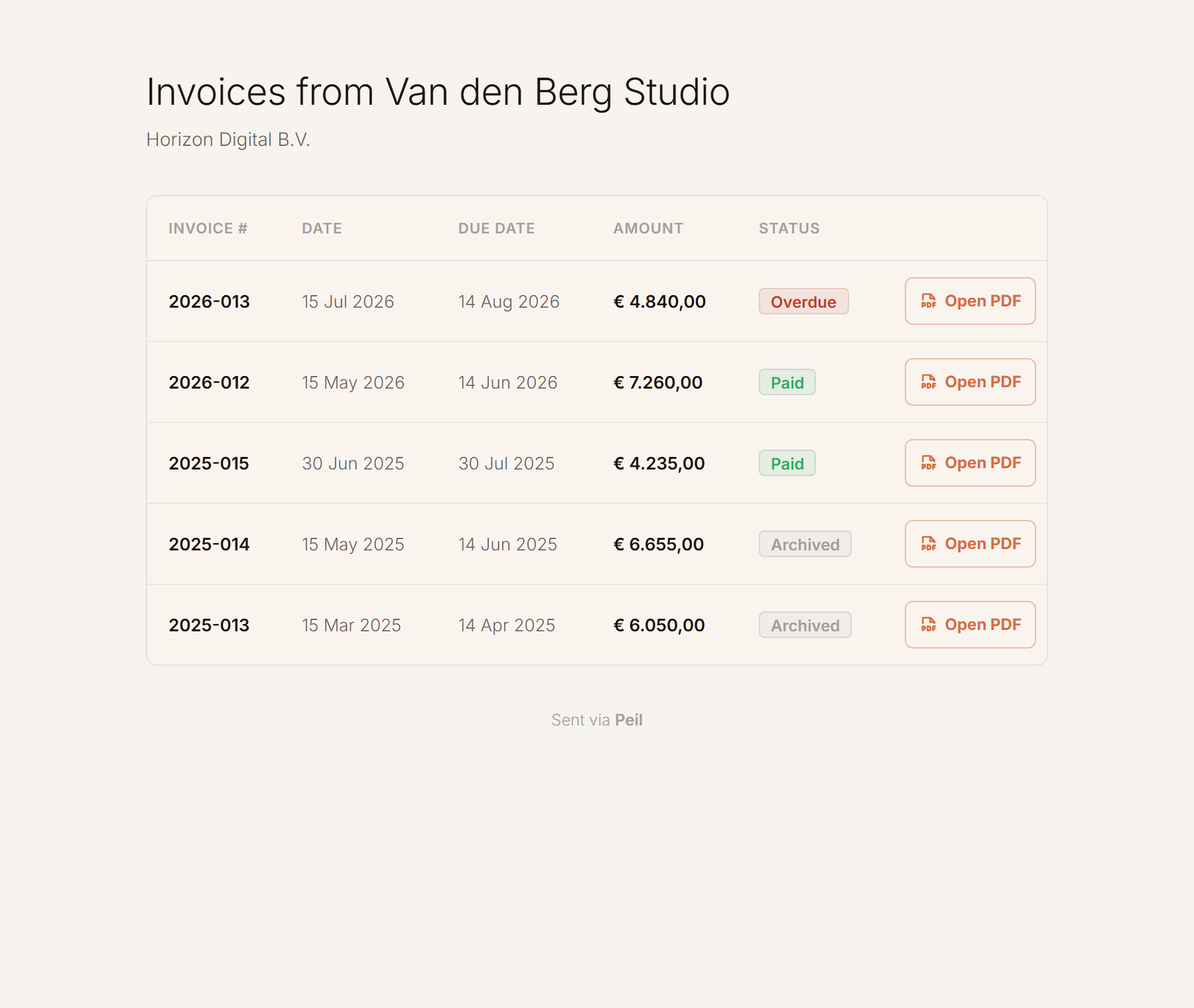
One portal per client
Each client gets one fixed link, with all your invoices to that client, their status and the PDF.
Delivery, in black and white
One check: delivered. Two checks: opened as well. If your client downloads the PDF in the portal, that appears as its own line.
Replies come to you
If your client replies to the email, the reply lands in your inbox. Peil isn’t in between.

Stop chasing your own money.
Who reminds your client about an open invoice when you forget? Peil. Set your payment terms and reminders, and every unpaid invoice gets a reminder as soon as its term expires. You see what happens on your timeline; your client sees that your admin is in order.
On your schedule
You choose the day and the time. Peil sends the email and keeps track of the reminders.
In your own words
You set the wording and tone of the reminder yourself, with fields that fill in the invoice details.
The clock stays honest
Send an invoice again? The original due date stands. The clock runs from the first send, not the last.

Unmistakably yours.
Choose from several invoice layouts and add your own logo, typeface, colours and margins. The same house style applies to the accompanying email and your client portal, so everything you send looks like it comes from one business.
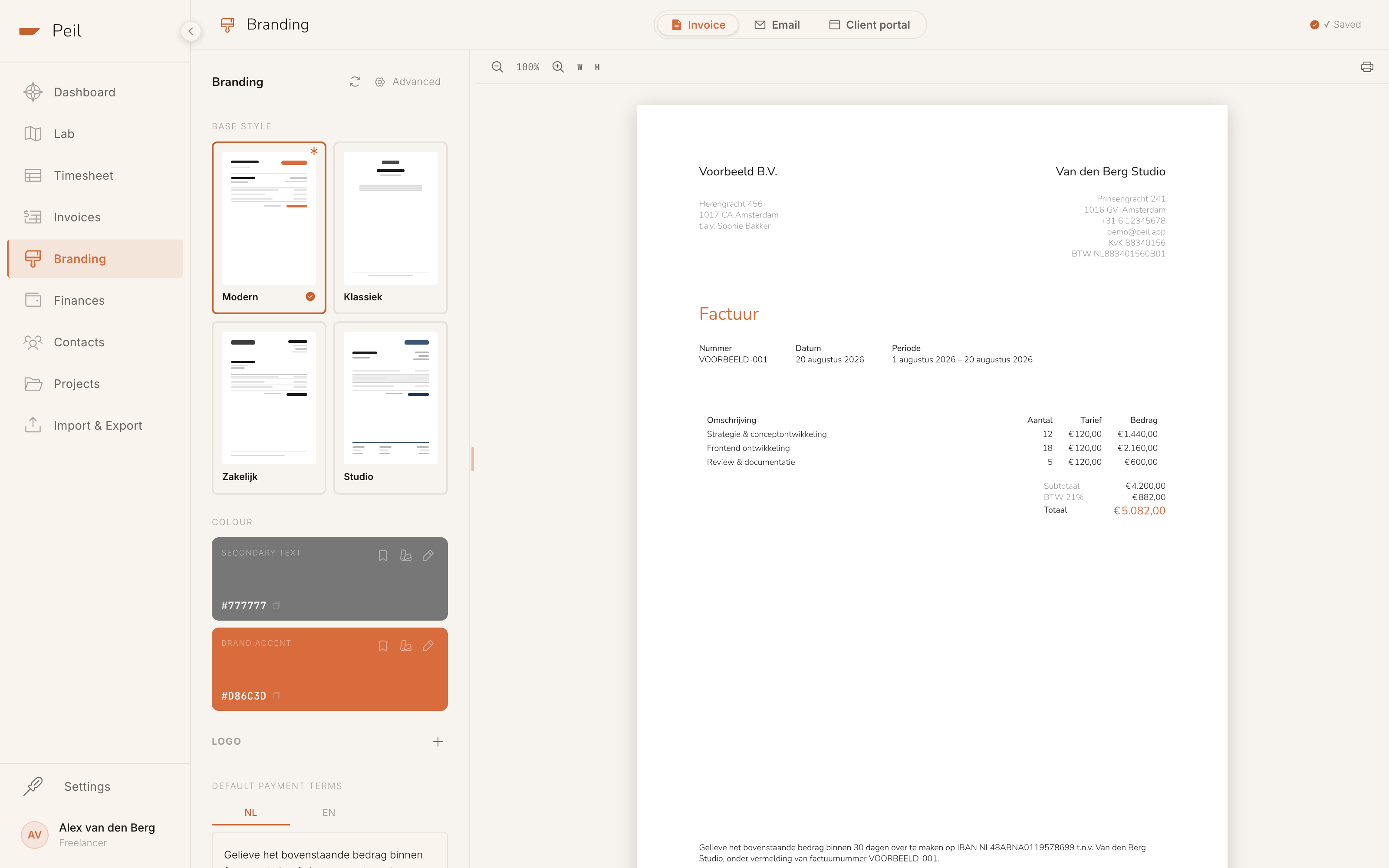
Four templates
Pick a starting layout; each is just as easy to adjust.
Typography and margins
Typeface, weight, letter spacing and table style, all easy to set.
Your email and portal too
One house style for the PDF, the email and your client portal.

Online payment Pro
Have your own Mollie account? Connect it and Peil puts a payment link in the invoice email and the client portal. Your client pays with iDEAL, the money goes straight to your account, and Peil marks the invoice paid.

VAT, KOR and reverse charge
VAT (btw) is applied per invoice: 21% by default, or 0% if you use the KOR, the Dutch small business scheme. Reverse-charged VAT for business clients abroad is supported too, with the required statement on your PDF.

Recurring and scheduled Pro
Regular clients with a fixed amount? Set an invoice to repeat monthly, quarterly or yearly, and Peil prepares the next draft for you each time. Or schedule an invoice and have it sent at the moment you choose.

Integrations and API
Let a script or your AI assistant prepare draft invoices through the API or the MCP server. Sending is a separate permission, so nothing reaches a client unless you’ve allowed it.

Your archive
The Belastingdienst (Dutch tax authority) asks you to keep invoices for seven years. Every PDF is in Peil: download them one by one, or your whole archive at once as a zip file, as often as you like.
Hours logged, invoice sent. Done.
Select your hours, check your invoice and send. After that, Peil keeps track of its status for you.
Can I invoice without Pro?
Yes. Turning your hours into an invoice, downloading the PDF and sending it yourself is free. Emailing invoices straight from Peil, automatic reminders, the house style editor, recurring invoices and online payment are part of Peil Pro.
What exactly does my client see?
An email in your house style with the PDF attached and a link to the client portal, where all your invoices are together. No account or password needed. If you’ve turned on online payment, there’s a pay button too.
Does a reminder change the due date?
No. The due date is fixed the first time you send the invoice. A reminder, or emailing the invoice again, leaves the original term in place.
Can I put hours from several months on one invoice?
Yes. In the editor you browse your unbilled hours month by month and tick what goes on. Once hours are on a sent invoice they’re locked, so you can’t change them by accident or invoice them twice.
Invoicing as the finishing touch, not a chore.
Make your first invoice from your logged hours and let Peil watch it until the money is in.
Make your first invoice