One link where your client finds all their invoices.


No account, no password
Clients open the portal through the link in the email.

Never resend an invoice again
Clients keep track of their own archive.

Online payment linkPro
With your own Mollie account, your client pays in one click with iDEAL.
Has your client really seen your invoice?
An opened email can be a scanner. A visit to the portal can’t. You see when your client came by, whether they downloaded the PDF, and how often.
Viewed, downloaded, paid
One timeline per invoice, from sent to paid.
How often, too
If they look at the same invoice again, it adds up to a count.
Follow up calmly
You know whether your client has seen it before you call.
Whose page is this?
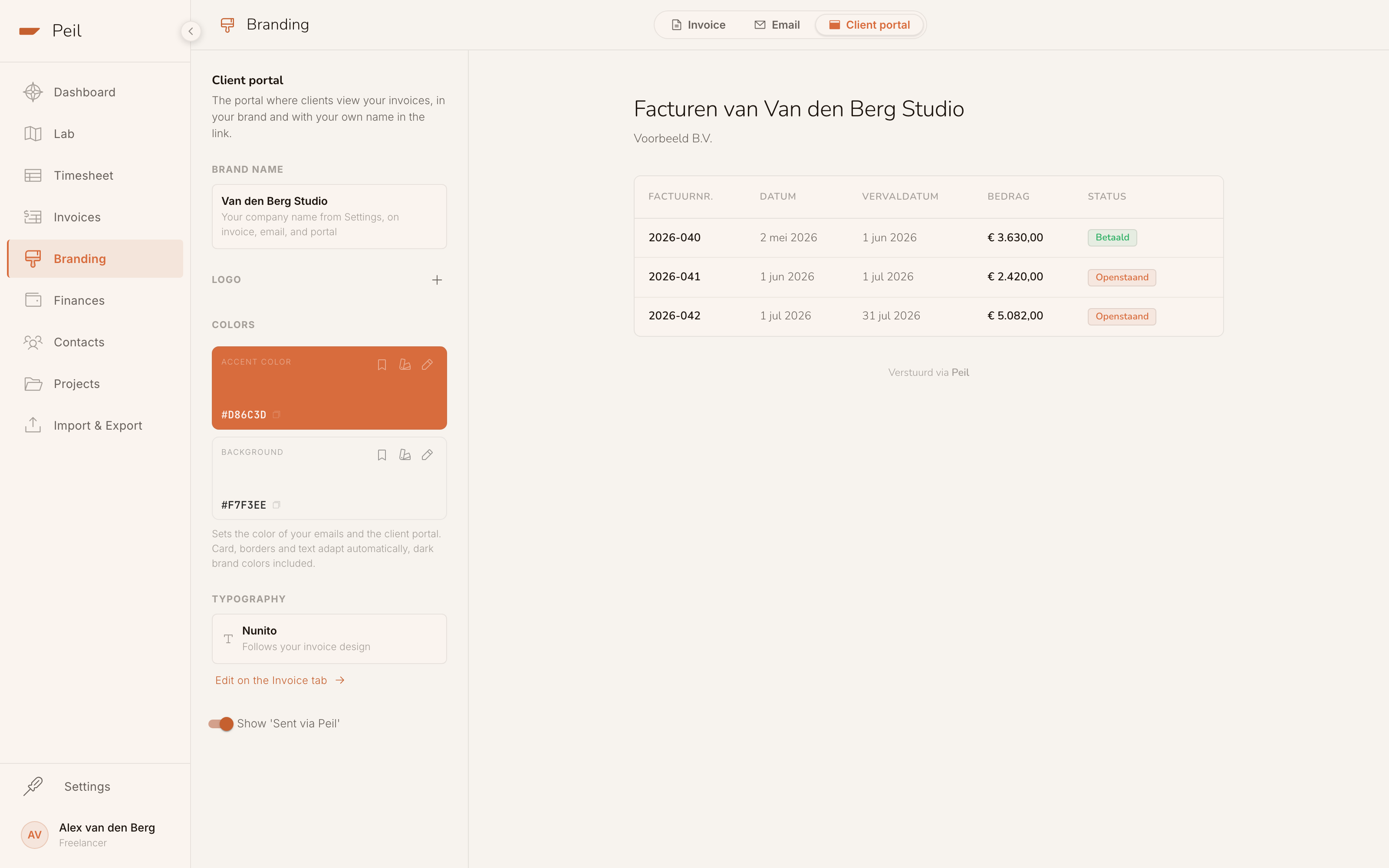
Your business gets its own house style and address. Set your brand name, logo and colour once, and your invoice PDF, your invoice email and the portal all follow them.
yourname.peil.app
The portal gets its own address, with your business name in front.
Sent via Peil
You can hide the Peil credit in the portal.

Online payment link Pro
Connect your own Mollie account and turn on a payment link for your email and your client portal. Your client pays with iDEAL, the money goes straight to you, and Peil marks the invoice paid.

An honest status
Peil follows the status of your invoice and flags when the due date has passed.

One link per client
Each client gets a personal link to their own portal. New invoices appear there automatically, in that client’s Dutch or English.
Your client doesn’t have to log in anywhere. One link, always up to date.
The portal appears by itself with your first sent invoice. Sending, online payment and your own house style are in Peil Pro.
About the client portal
Question not listed? The full manual is in the docs.
Does my client have to create an account?
No. The link in the invoice email is the access; no password involved. Without the link, nobody gets in.
Can my client see invoices to other clients?
No. Each client has their own link, and it shows only the invoices you sent to that client. Draft invoices stay invisible until you send them.
What does the client portal cost?
The portal comes with sending from Peil: it appears with your first sent invoice, and sending is part of Peil Pro, as are online payment through your own Mollie account and your own house style and address. For your client it costs nothing and needs no account. On the free plan you download your invoice as a PDF and send it yourself.
Does the money go through Peil?
No. You connect your own Mollie account, so your client pays you directly. Peil only sees that the payment succeeded and marks the invoice paid.
Professional all the way to the payment.
Send your next invoice with a portal link in it and let your client see for themselves what’s still open.
Send your first invoice