Your rate isn’t a number, it’s a history.


The rate of the day
Hours you log later are charged at the rate of their own date.

Raise your rate, not your old hours
A new rate opens a new period; earlier hours stay as they were.

Nothing to fill in
Peil takes this client’s latest rate, or else your own default rate.
What’s still open with this client?
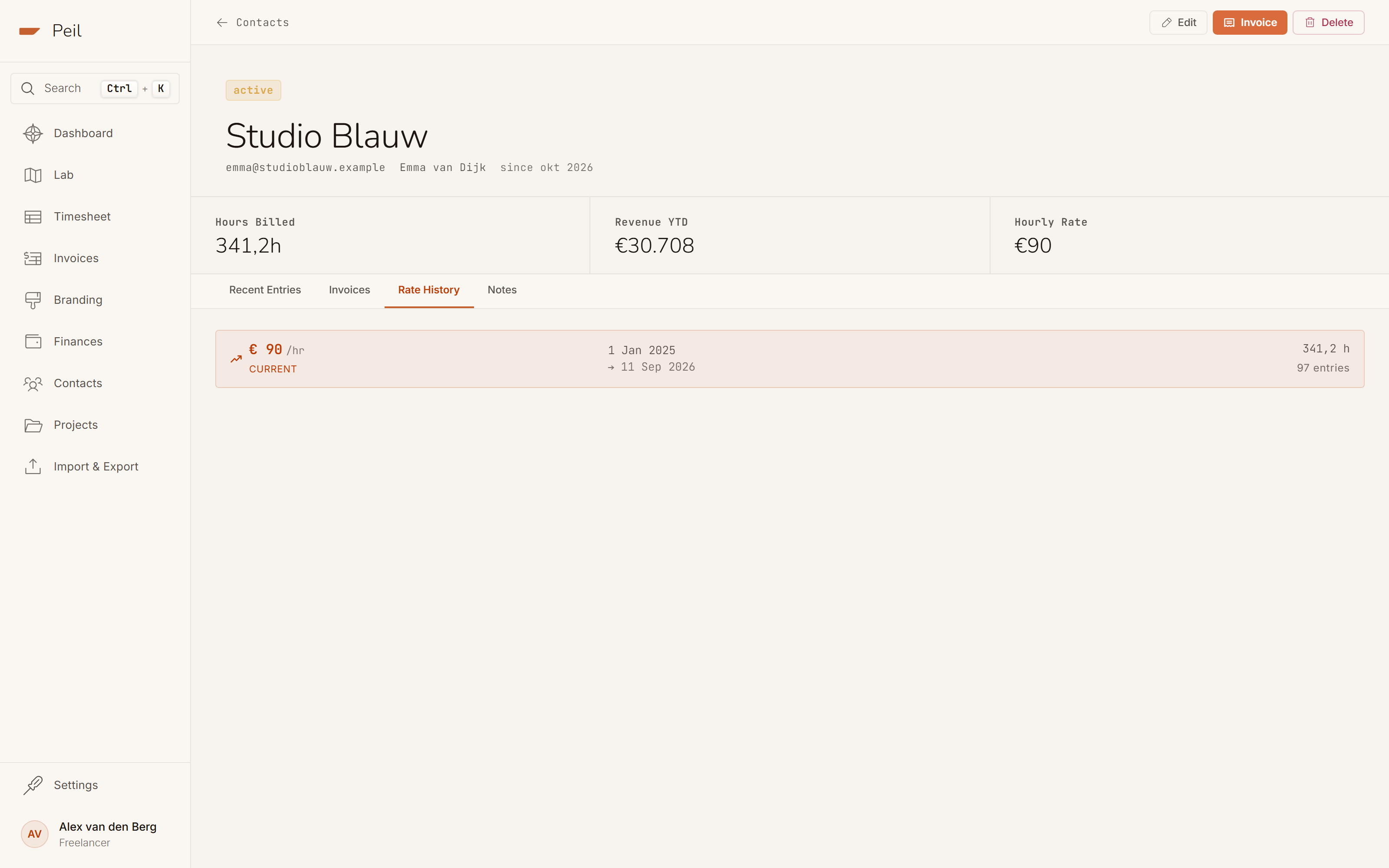
Hours billed, revenue this year and the current rate sit at the top. If hours are still unbilled, Peil says so, with the button to turn them into an invoice right beside it.
Unbilled hours
A calm strip, not a red exclamation mark.
Four tabs
Entries, invoices, rate history and notes.
Every period counts
For each rate you see how long it applied and how many hours fall under it.

How much of your year depends on one client?
Peil adds up each client’s invoices over the last twelve months and shows their share. Retainers and fixed prices count too, because the number comes from the invoice, not from an hourly rate.
Peil shows the share. What a share means is up to you.
Rolling, not per calendar year
Otherwise your first invoice in January would be 100%.
No verdict
Peil sets no limit. You know better than anyone what’s healthy.
Two fields that reach further than you think.
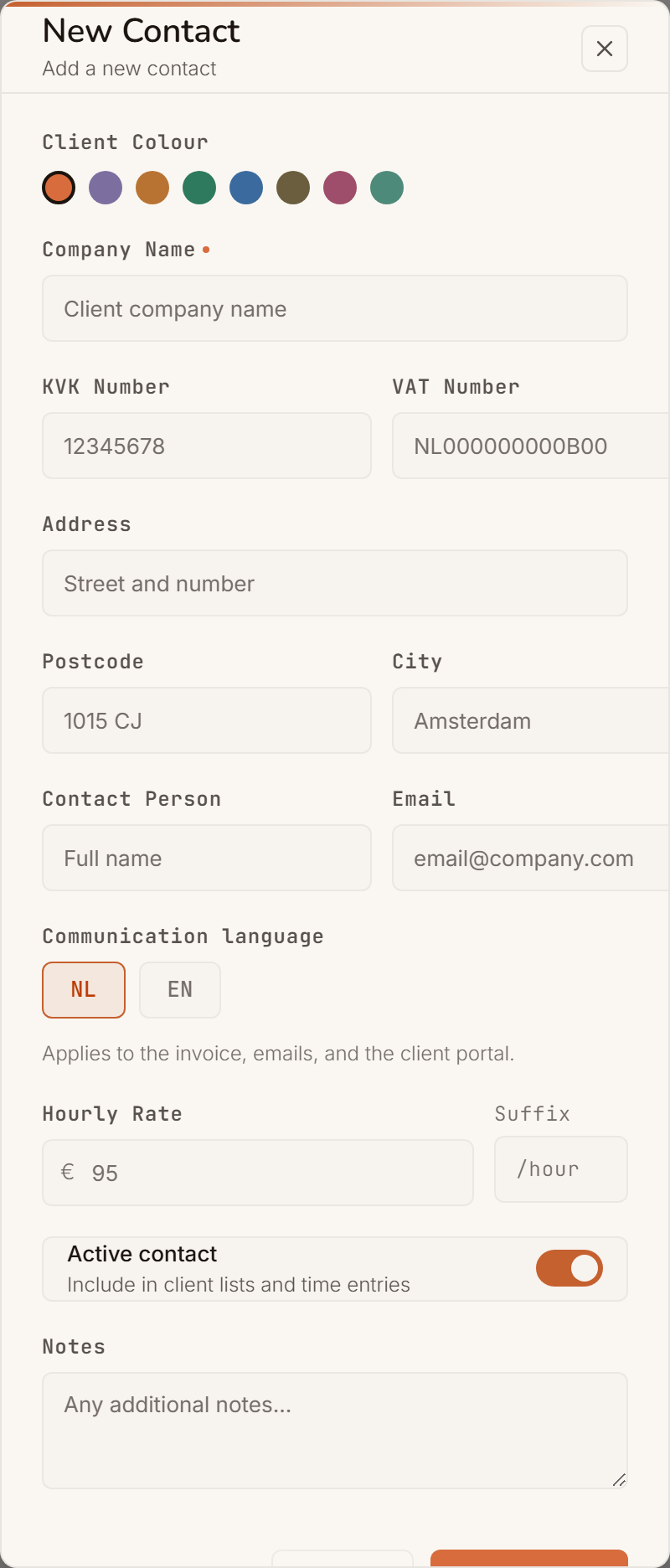
Invoice language sets the language of the PDF, the accompanying email and this client’s portal. The default hourly rate is the starting point; once you log hours, the rate history takes over.
Dutch or English per client
Your German client reads English, your neighbour Dutch.
A colour per client
Scan a month of timesheet without reading a single name.

How to raise a rate
Not by editing the client form, but by logging an hour at the new rate. Peil then opens a new period in the rate history.

Their own portal
With the first invoice you send, each client gets their own link to all their invoices, without an account or password.

Inactive, not gone
When a collaboration ends, set the client to inactive. They leave your list; their hours and invoices stay.
Almost half your year comes from one client. Good to know before it shows.
Clients, rates and rate history are fully in the free plan.
About clients and rates
Question not listed? The full manual is in the docs.
I’m raising my rate. What happens to old hours?
Nothing. Peil looks up the rate by the date of the entry itself, so hours from before the raise keep the old rate, even if you log them later.
What if I haven’t set a rate for a client yet?
Then Peil falls back on the client’s default hourly rate, and if there isn’t one, on your own default rate in settings. The first hour you log starts the rate history.
Where does client concentration come from?
From your sent and paid invoices of the last twelve months, excluding VAT. Draft invoices don’t count: a draft is an intention, not a dependency.
Can I delete a client?
Only if nothing depends on them. If projects or sent invoices are attached, Peil blocks the delete and names exactly which. If you only want the client out of your list, set them to inactive.
Every hour at the rate it belongs to.
Add your first client, log an hour and see the right rate come along by itself.
Add your first client