Log hours like in Excel, only smarter.


Tab through your day
Client, project, activity, hours. After your first week you type three letters and press Tab.

The right rate comes along
The date of an hour decides which rate applied then. Even when you log it later.

Type it once, counted everywhere
Weekly total, invoice line, dashboard and urencriterium: every hour counts in all of them.
See at a glance which hours you can still invoice.
A row per day, a total per week, a colour per client. One look at your month tells you what still needs doing.
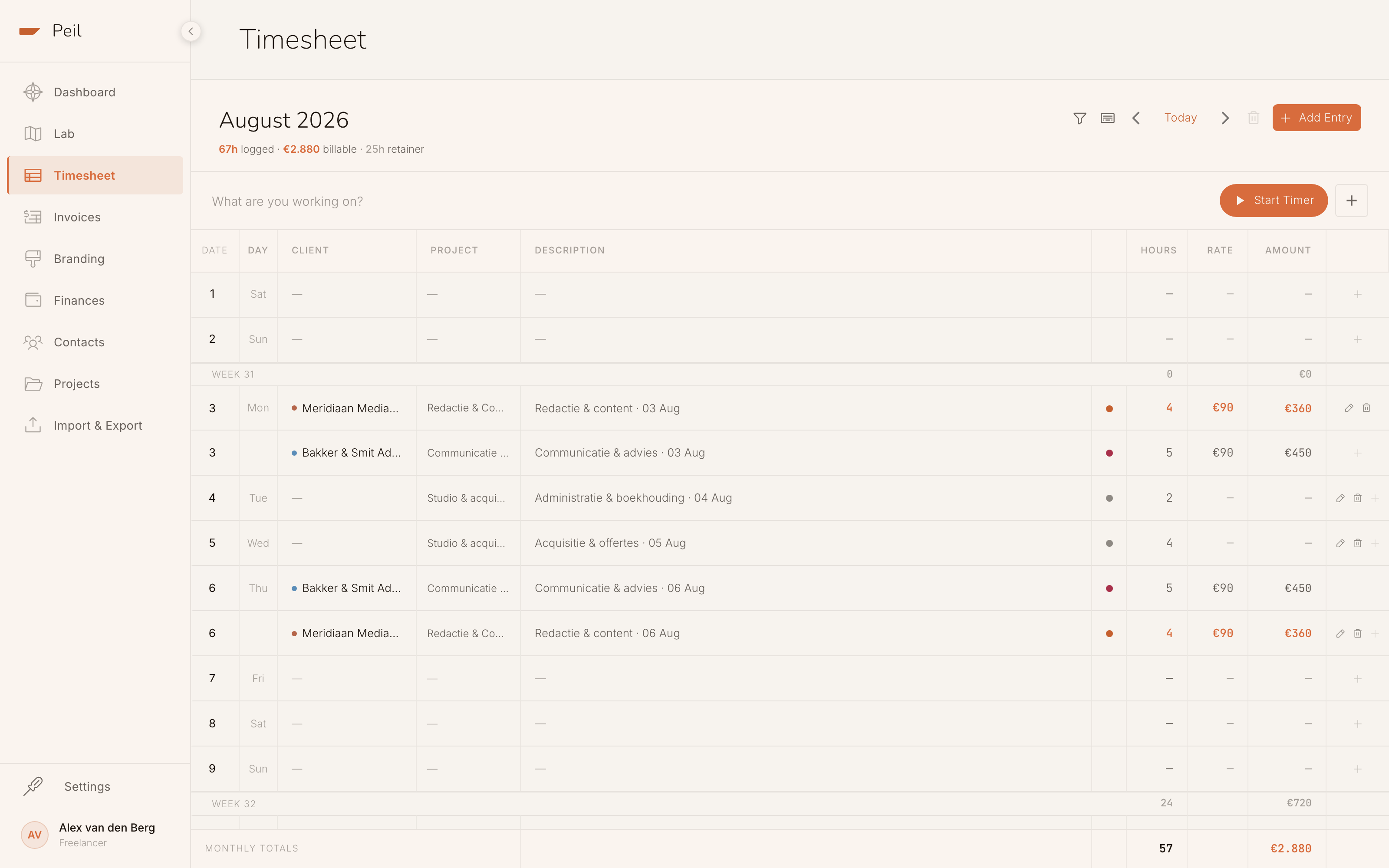
Weekly and monthly totals
Hours and their value per week. Internal hours count in time, not in euros.
Every entry has a status
Still to invoice, on a draft, sent, paid or overdue. Each row shows whether it still needs you.
Never invoiced twice
Hours on a sent invoice can’t go on another one. Your invoice and your timesheet always agree.
Fixed price and retainers
Hollow dot: they count, but aren’t invoiced separately.
Internal is work too
Acquisition and admin count for the Belastingdienst (the Dutch tax authority), not in your hourly rate.
Clients in colour
Scan a whole month without reading a single name.
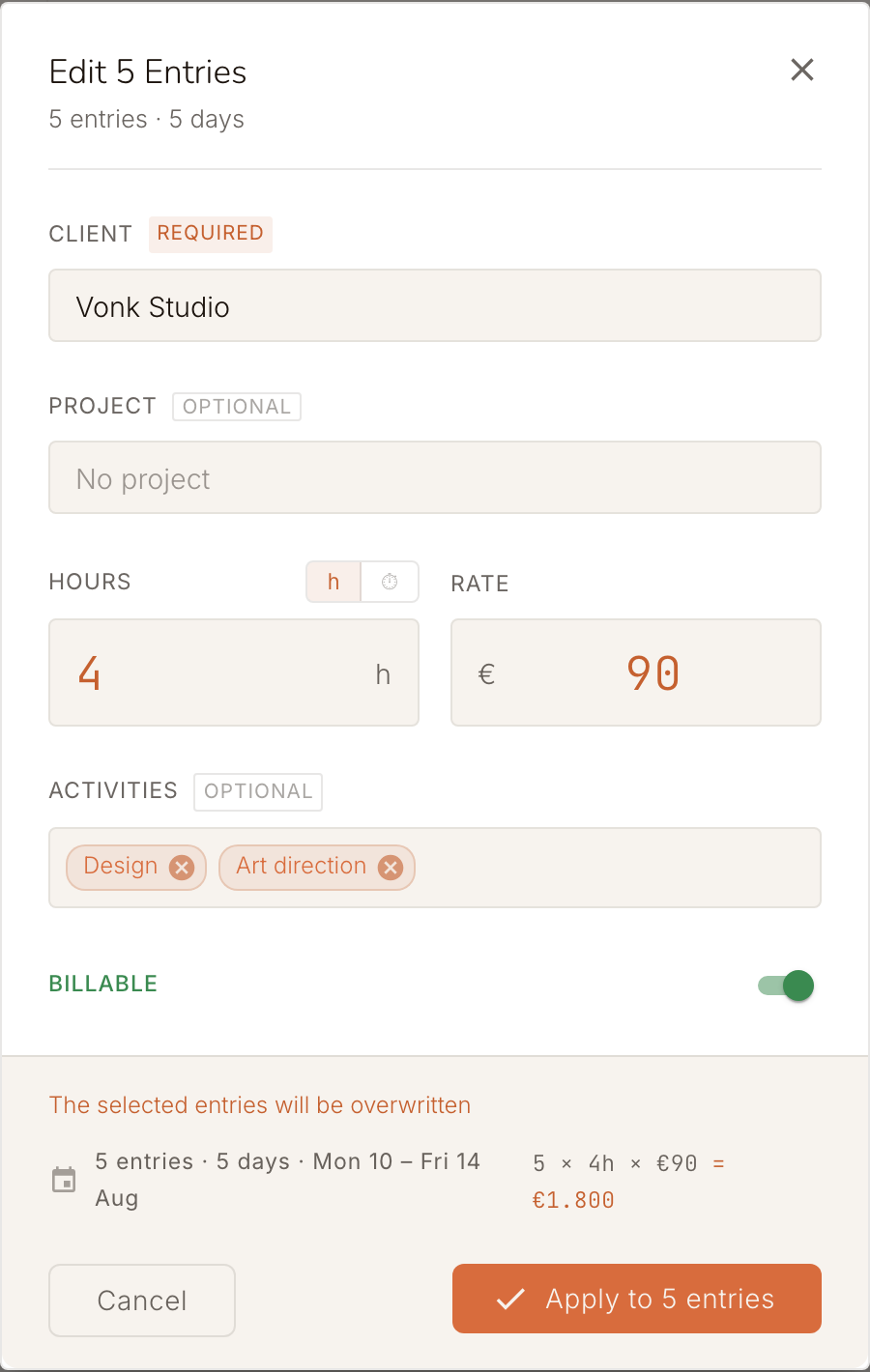
Five identical days? Change them in one go.
Select a range with Shift-click, change client, project, hours or rate at once, and see live what it adds up to before you confirm.
Duplicate
Ctrl+D and yesterday is back.
Undo
Most changes roll back with Ctrl+Z.
Are you on course for 1,225 hours?
The urencriterium is the Dutch 1,225-hour test. Peil counts every hour you log, billable and internal, and shows all year how many you still have to go.
You see it coming
Halfway through the year you know where you stand and how many hours you still need.
Startersaftrek
Peil includes the starter’s deduction based on your start date. Not eligible? Switch it off.
You meet the urencriterium if you spend at least 1,225 hours on your business in a calendar year: the condition for the zelfstandigenaftrek (self-employment deduction) and the startersaftrek.
Belastingdienst · how the rule works
Don’t start from zero.
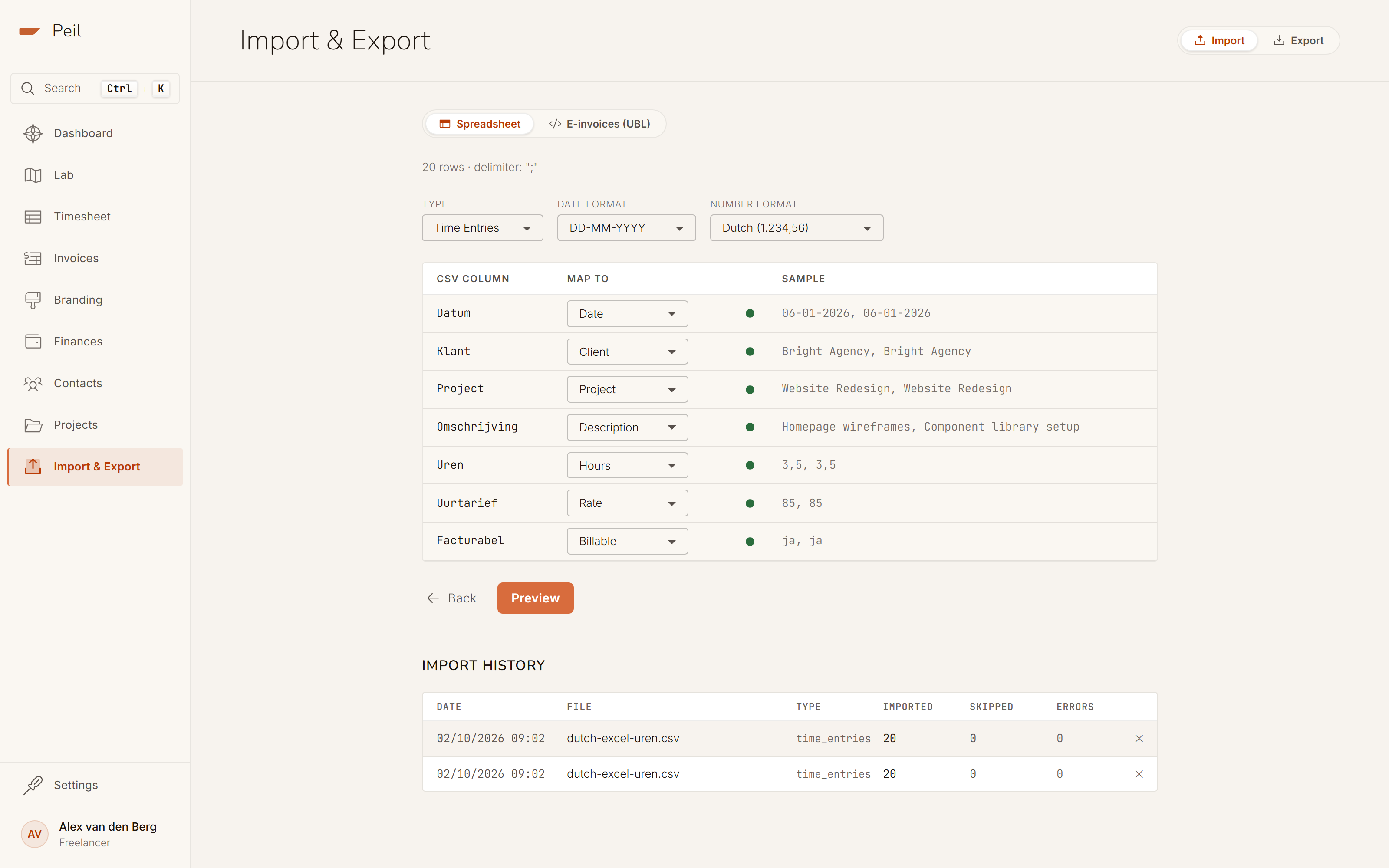
Drop your CSV, TSV or Excel file into Peil. Columns are recognised and duplicate rows don’t count twice. Your hour count starts at your first hour of this year, not today.
Look first, then save
A preview before, a report after.

Work you repeat, you type once
Save the kind of work that keeps coming back as an activity and pick it from your list next time, instead of typing the description again.

From hours to invoice
You never retype your hours. Select one client’s hours, click "Create invoice" and your invoice is ready, at the rate that applied at the time. Click an invoiced row later and the invoice opens again.

Integrations and API
Let another tool, a script or your AI assistant log hours in Peil, with a key that can do exactly as much as you allow.
Logging hours costs nothing. Not even when there are a lot of them.
Logging, editing, importing and exporting are in the free plan, without limits.
Do internal hours really count for the urencriterium?
Yes, as long as you log them. Acquisition, admin or a course: for the Belastingdienst that is working time. Mark the entry internal; the hour counts toward your total, not your revenue.
What happens to hours that are already on an invoice?
Once an hour is on a sent or paid invoice, Peil protects it: you can no longer delete it, and editing asks you first. Hours on a draft invoice are still free.
How does Peil know which rate applied when?
From your client’s rate history. Raise your rate on 1 January and log December hours in February, and Peil uses your old rate for those hours.
Is time tracking free?
Yes. Logging, editing, importing and exporting are in the free plan. Only retainers are part of Peil Pro.
Your hours are where the sum begins.
Log them in Peil and see them come back as an invoice, a weekly total and a step toward your urencriterium.
Log your first hours